Now available on Meta Quest
Bring your camera and headset. Leave with client proofs.
ShutterBase turns a Meta Quest into a darkroom you can take to any shoot. Plug in your camera, edit the RAW files on a large, glare-free screen, and send proofs before you pack up.
$9.99 on the Horizon Store. One purchase, no subscription.
From shoot to proofs
Your whole editing setup fits in the camera bag.
No laptop, no calibrated monitor, no hunting for shade to see the screen. Between setups or on the drive home, the client can have their first selects.
- 01ShootWork the way you always do. Shoot RAW on the camera you already own.
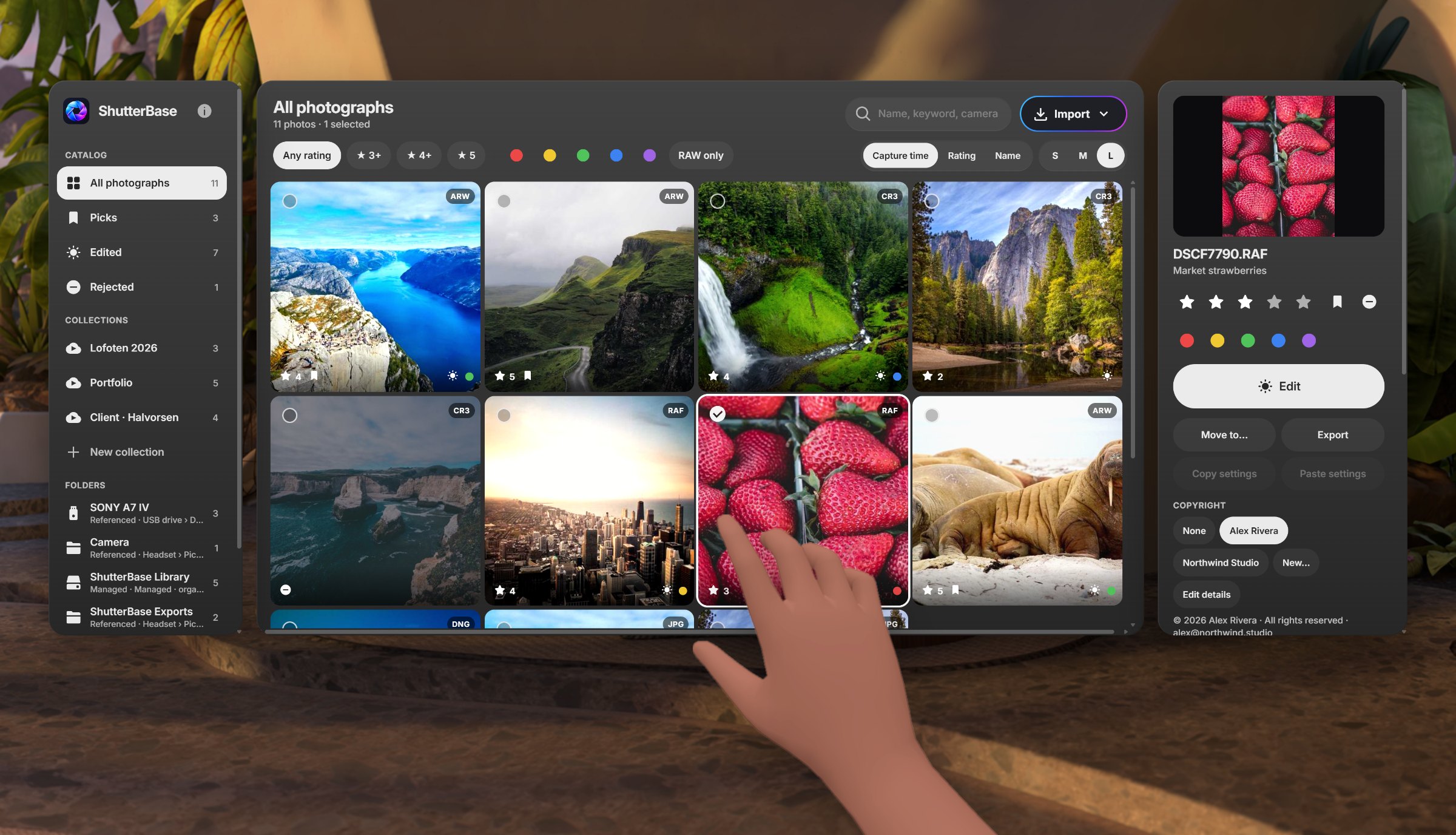
- 02Plug inConnect the camera or a card reader to the headset with USB-C and import the new frames.
- 03Edit in the darkCull, rate and edit on a screen as big as a wall, in a room with no glare and no stray light.
- 04Deliver proofsExport web-sized JPEGs with your watermark into a client folder, ready to send.
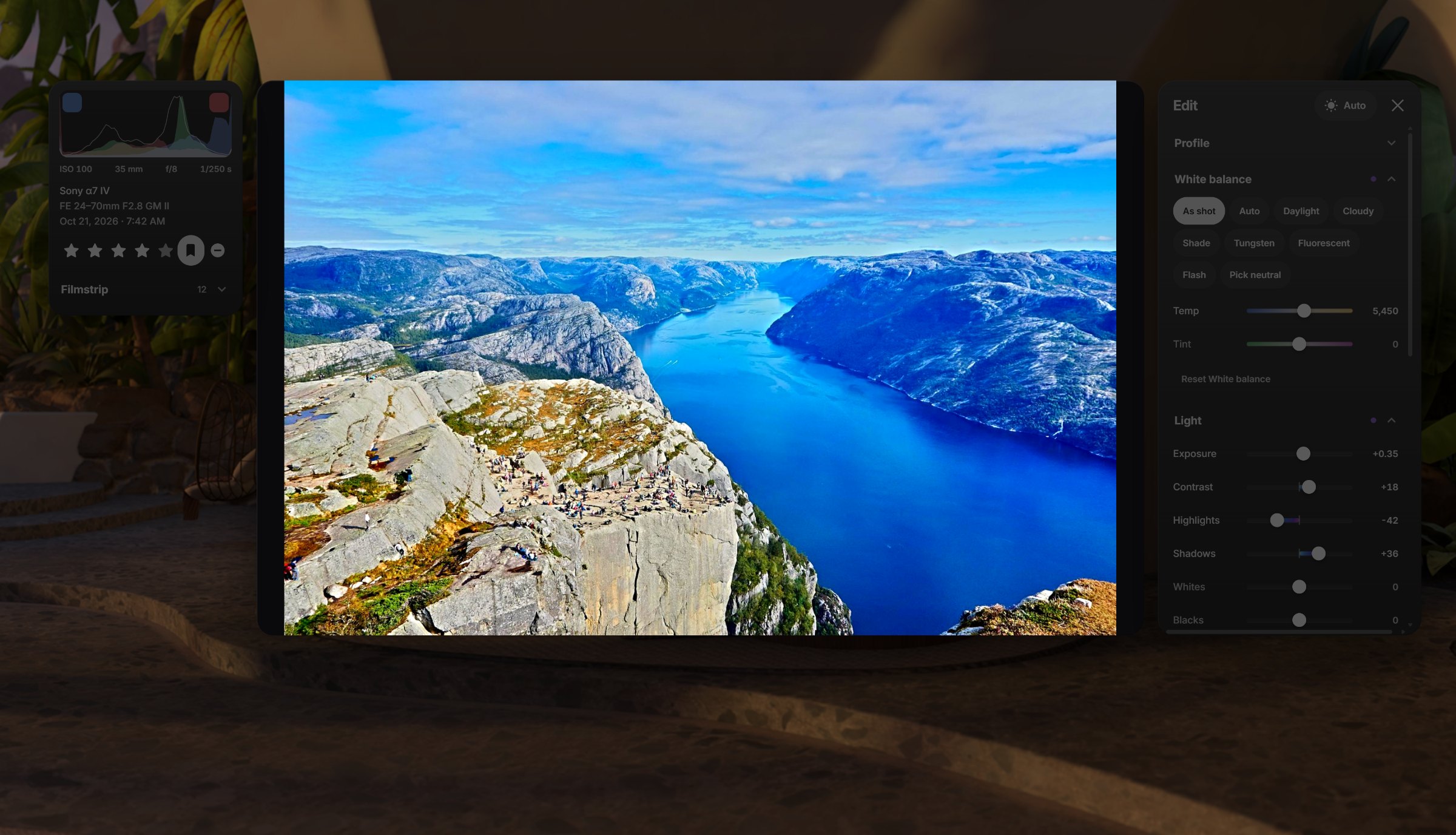
A darkroom in the headset
See every tone the sensor caught.
The headset shuts out the light around you, so shadows read as shadows and color looks the same at noon on a beach as it does at home. When you stop adjusting, the room dims and the panels fade so the photo is all you see.
Editing tools
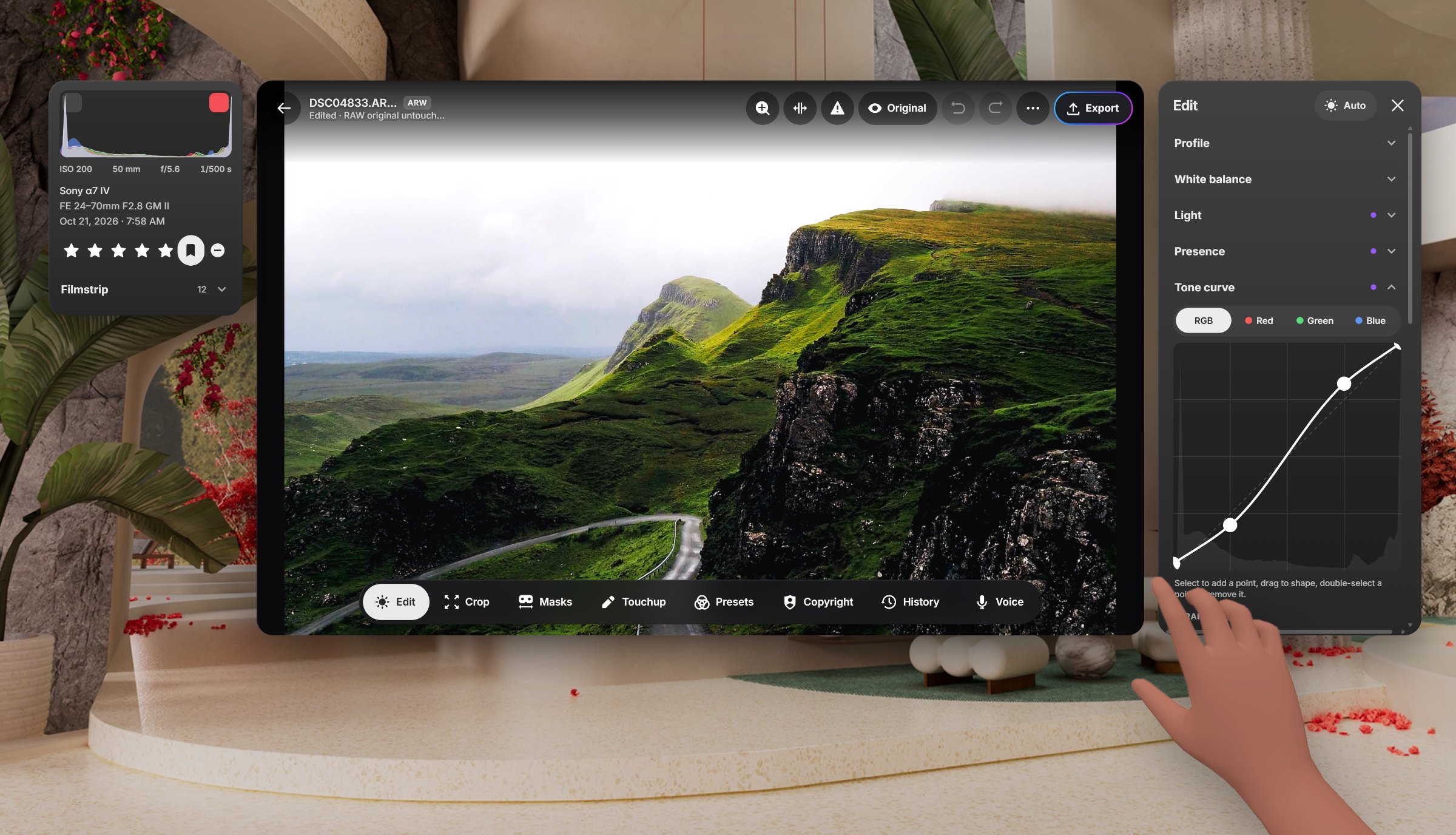
A full develop panel, sized for hands and controllers.
The photo stays front and center while the histogram and tools float beside it. Every change goes into the history, so you can always step back.
Light & white balance
Profile, temperature, tint, exposure, contrast, highlights, shadows, whites and blacks.
Presence
Texture, clarity, dehaze, vibrance and saturation.
Curves & color
Point curve per channel, an eight-hue color mixer and three-way color grading.
Detail, optics & crop
Sharpening, noise reduction, lens corrections, crop, straighten and upright.
Presets & sync
Save a look as a preset, or copy settings from one photo and paste them onto a whole selection.
Focus view
Panels fade back when you stop interacting, so you can judge the photo on its own.
Masks & Touchup
Adjust one part of the frame. Clean up the rest.
Masks
Select the subject, sky or background in one tap, or build a mask from a color or brightness range. Paint with a brush where you need precision, then apply any light and color adjustment to just that area.
Subject
Sky
Background
Color range
Luminance range
Brush
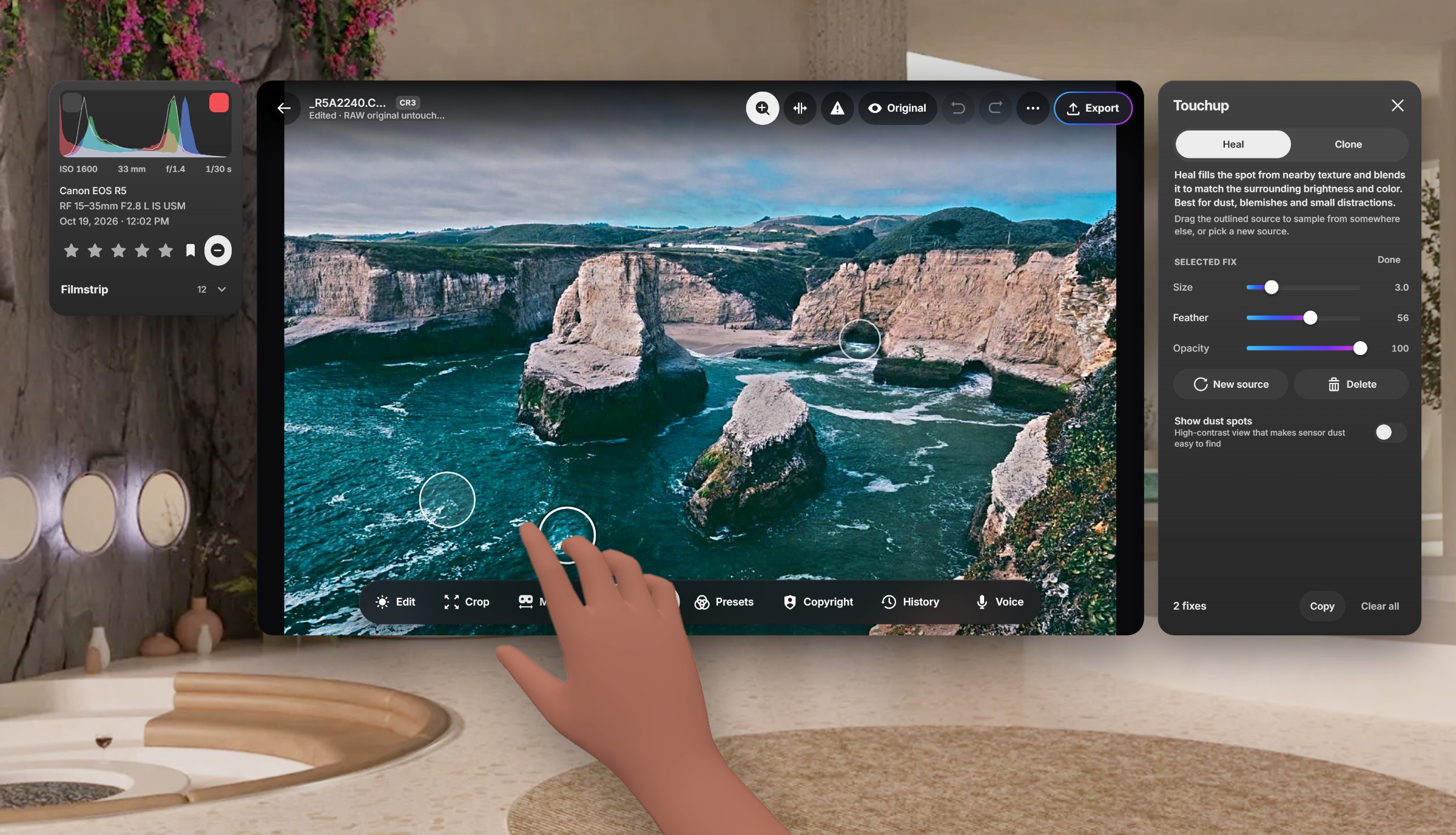
Touchup
Heal blends a patch from nearby texture to remove dust, blemishes and small distractions. Clone copies the source exactly for hard edges and repeated texture. Size, feather and opacity are adjustable on every fix, and a dust-spot view makes sensor spots easy to find.
Export & copyright
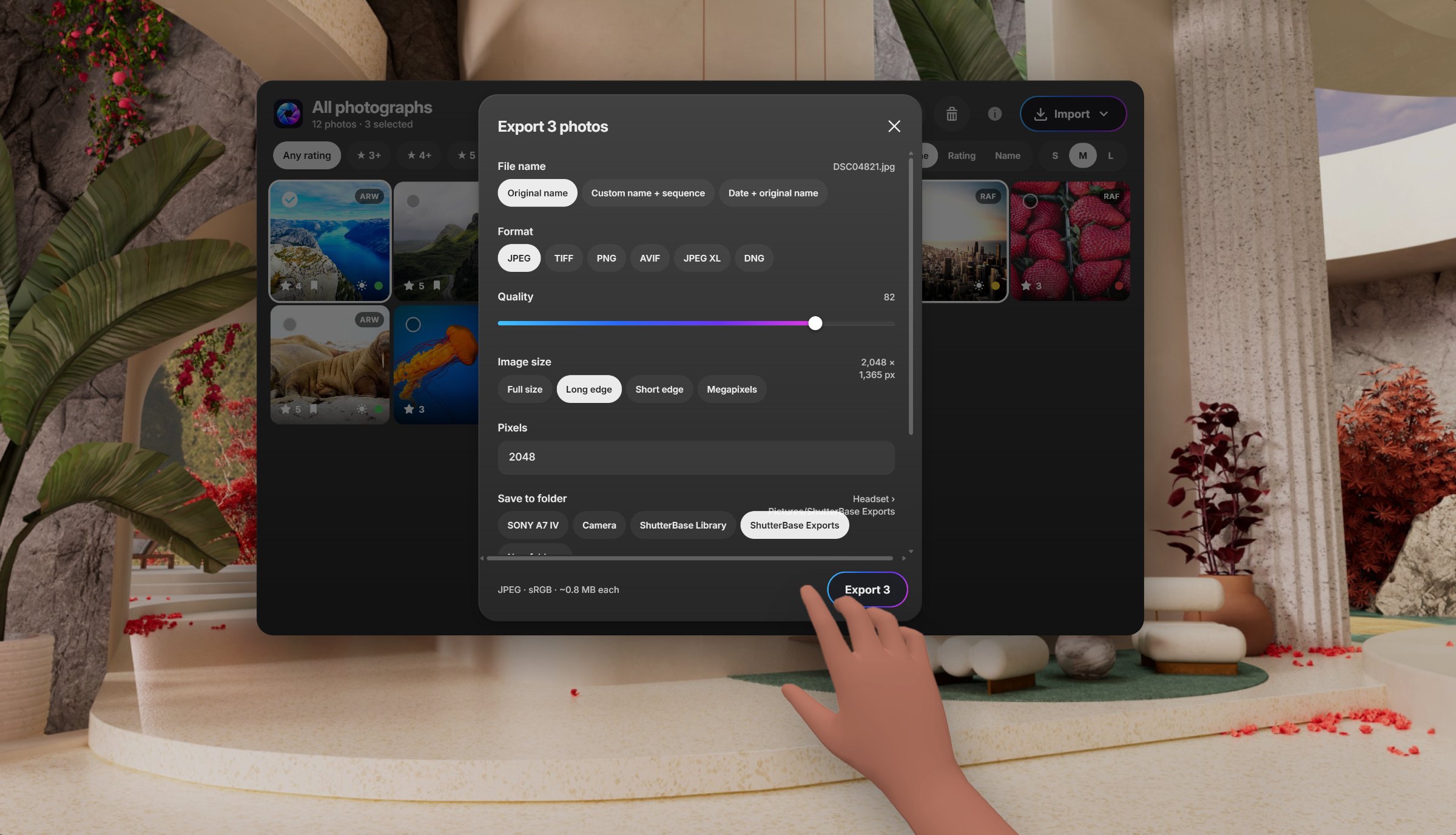
Finished files, with your name on them.
Pick a name, format, quality and size, then choose a folder and, if you like, a collection. Color space, sharpening and metadata are there when you need them.
JPEG
TIFF
PNG
Copyright, built in
Save your copyright notice once and it is written into every exported file’s metadata. Show it on the photo as a corner label or a repeating watermark, or keep it in the metadata only.
Local Access
Send photos from your phone or computer over Wi-Fi.
No cable and no cloud account. Turn on Local Access, open the address in a browser on the same network and enter the code.
- 1Turn on Local AccessOpen Import in ShutterBase and choose Local access.
- 2Open the addressType it into a browser on your computer, phone or tablet.
- 3Enter the code and drop photosThey land in your library, ready to edit.

Local Access
OnOpen in a browser on the same Wi-Fi
shutterbase.local:8000
4
8
1
7
A new code is made each time Local Access starts.
Privacy
Your photos stay on your headset.
Processed on the headset
RAW decoding, editing, masking and exporting all run locally. Photos are not uploaded to process them.
Originals are never changed
Edits are stored as settings alongside your photos. Files on referenced drives stay where you put them.
Sharing on your network
Local Access stays on your Wi-Fi and asks for a fresh code every session. Turn it off and the connection ends.
Read the privacy policy
Pricing
One price. Every tool.
No subscription, no in-app upgrades and no usage limits.
ShutterBase
$9.99once
- ✓RAW and JPEG, HEIC, TIFF and PNG editing
- ✓Full develop panel, presets and history
- ✓Masks, Heal and Clone
- ✓Export to JPEG, TIFF and PNG
- ✓Copyright labels, watermarks and metadata
- ✓USB import and Local Access over Wi-Fi
Get it on the Horizon Store
US price. Local pricing is shown in the Horizon Store.
Questions
Which headsets does ShutterBase run on?⌄
ShutterBase runs on Meta Quest headsets with Meta Horizon OS.
Which cameras are supported?⌄
ShutterBase opens RAW files from Canon (CR2, CR3, CRW), Nikon (NEF, NRW), Sony (ARW), Fujifilm (RAF, including X-Trans), Olympus (ORF), Panasonic (RW2), Pentax (PEF), Samsung (SRW), Hasselblad (3FR) and Phase One (IIQ), plus DNG in its Bayer and linear variants. If your camera isn’t supported yet, send a request from the Support page.
How do I get photos onto the headset?⌄
Connect a camera or card reader to the headset with USB-C, import from headset storage, or send photos from a phone or computer over Wi-Fi with Local Access.
Does editing change my original files?⌄
No. Edits are saved as settings in the ShutterBase catalog, and your originals stay exactly as they were. Export whenever you want a finished copy.
Does it need an internet connection?⌄
Importing, editing and exporting work offline. Local Access needs your headset and browser on the same Wi-Fi network.
Is there a subscription?⌄
No. ShutterBase is a one-time $9.99 purchase (US price) with every tool included.